
A diagnostic tells you what to do. Smart Ascending+ is the month-by-month support that keeps the route clear, evaluating progress and driving improvements.
A diagnostic tells you what to do. Smart Ascending+ is about where you're headed — month-by-month support that keeps the route clear, evaluating progress and driving improvements, so the roadmap doesn't end up filed away in a PDF.
Priorities for the month, aligned with your roadmap and with what moves the needle most.
We implement process adjustments and AI automations with your team; for the ERP we leave the guidelines for the certified partner.
We review what progressed against the route and spot risks and opportunities before they become a problem.
We adjust the next stretch of the route with what we learned — clear progress every month, toward where you're headed.
Available for companies that have already completed a diagnostic with KLIMMER. Scope and hours are defined based on your diagnostic's findings.
An executive report that marks the route and milestones, separates what's done from what's pending, shows your indicators against the baseline and closes with what we recommend doing next month. We review it with you to decide the next stretch together.
Illustrative case: 62-person industrial distributor, month 4 of 12. All figures are fictional.
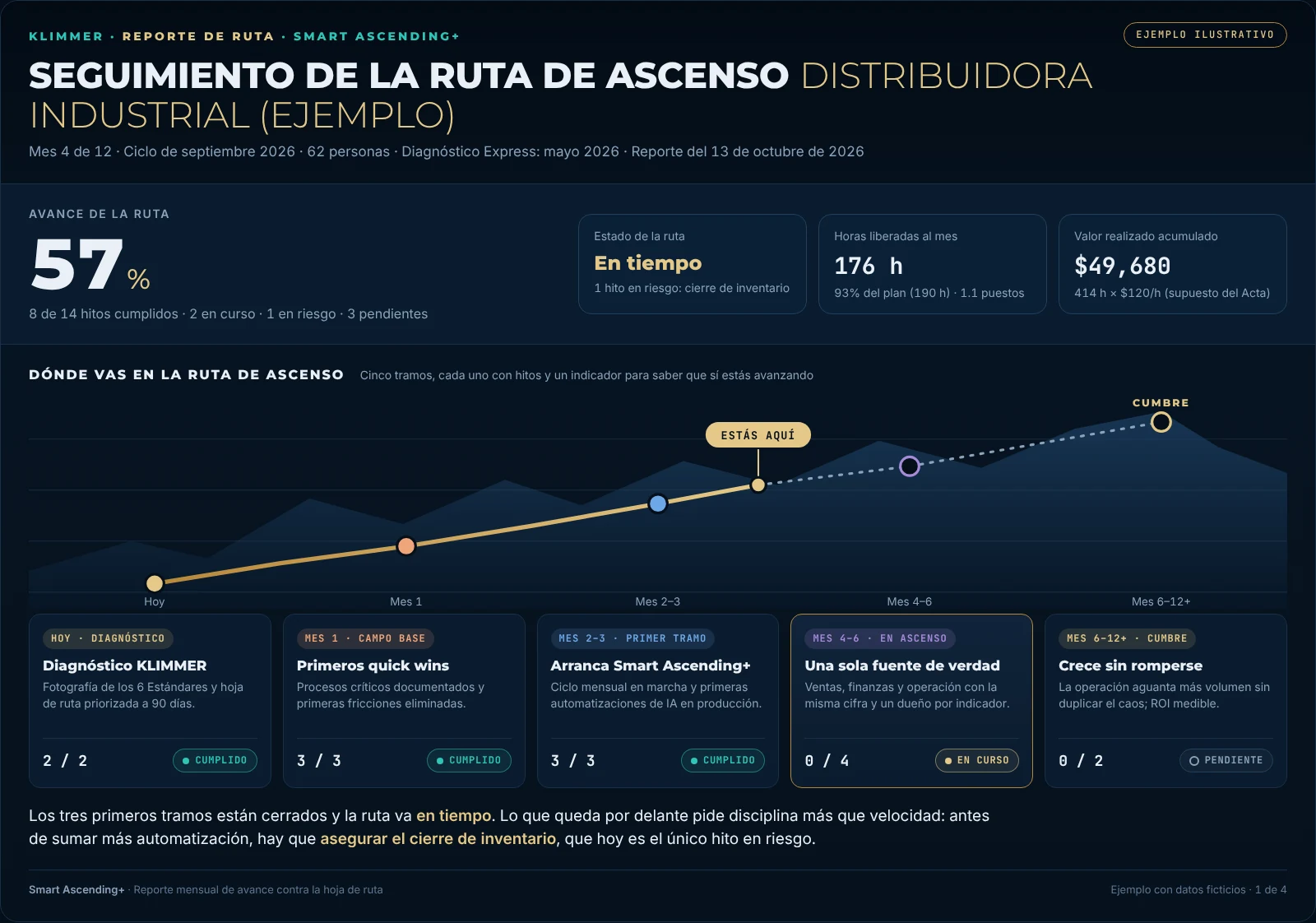
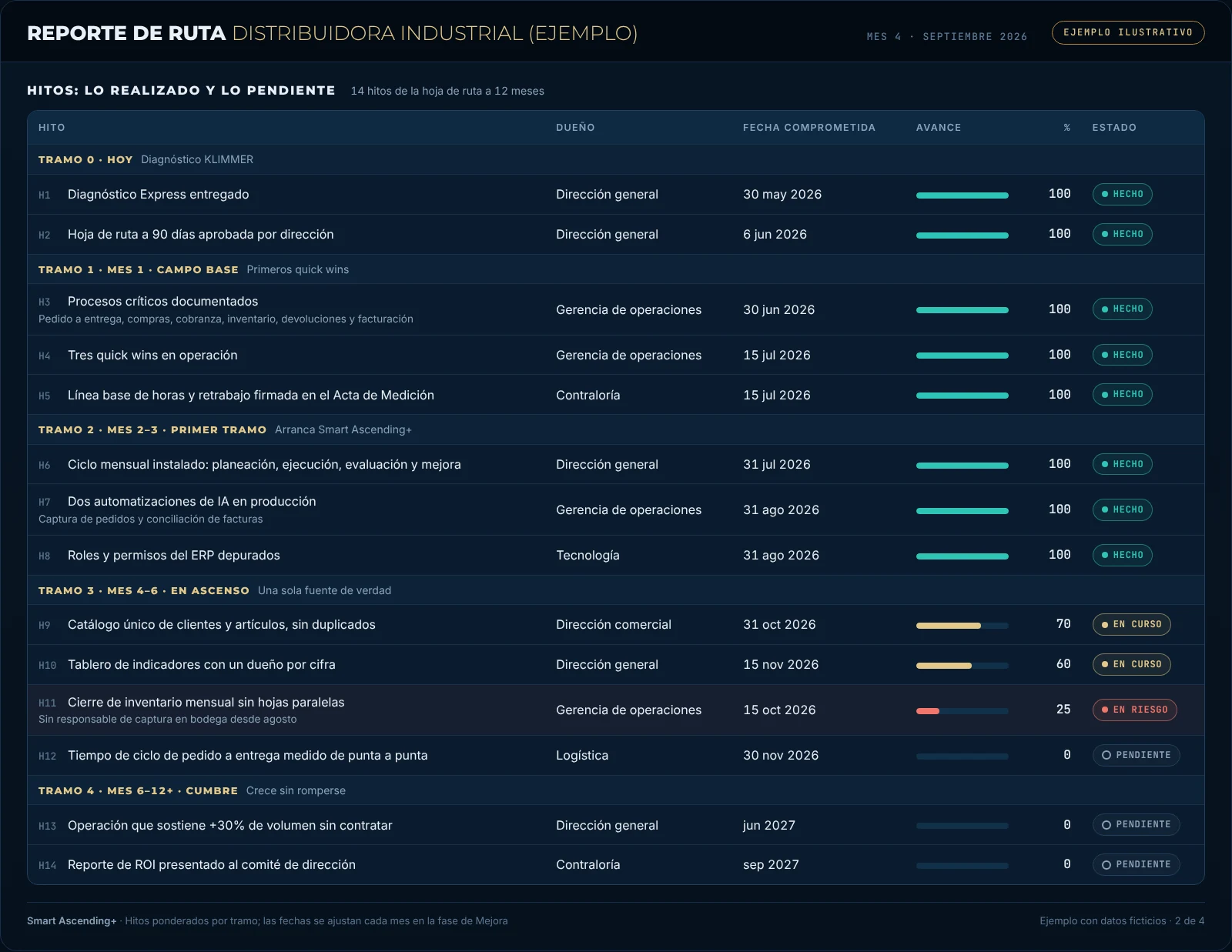
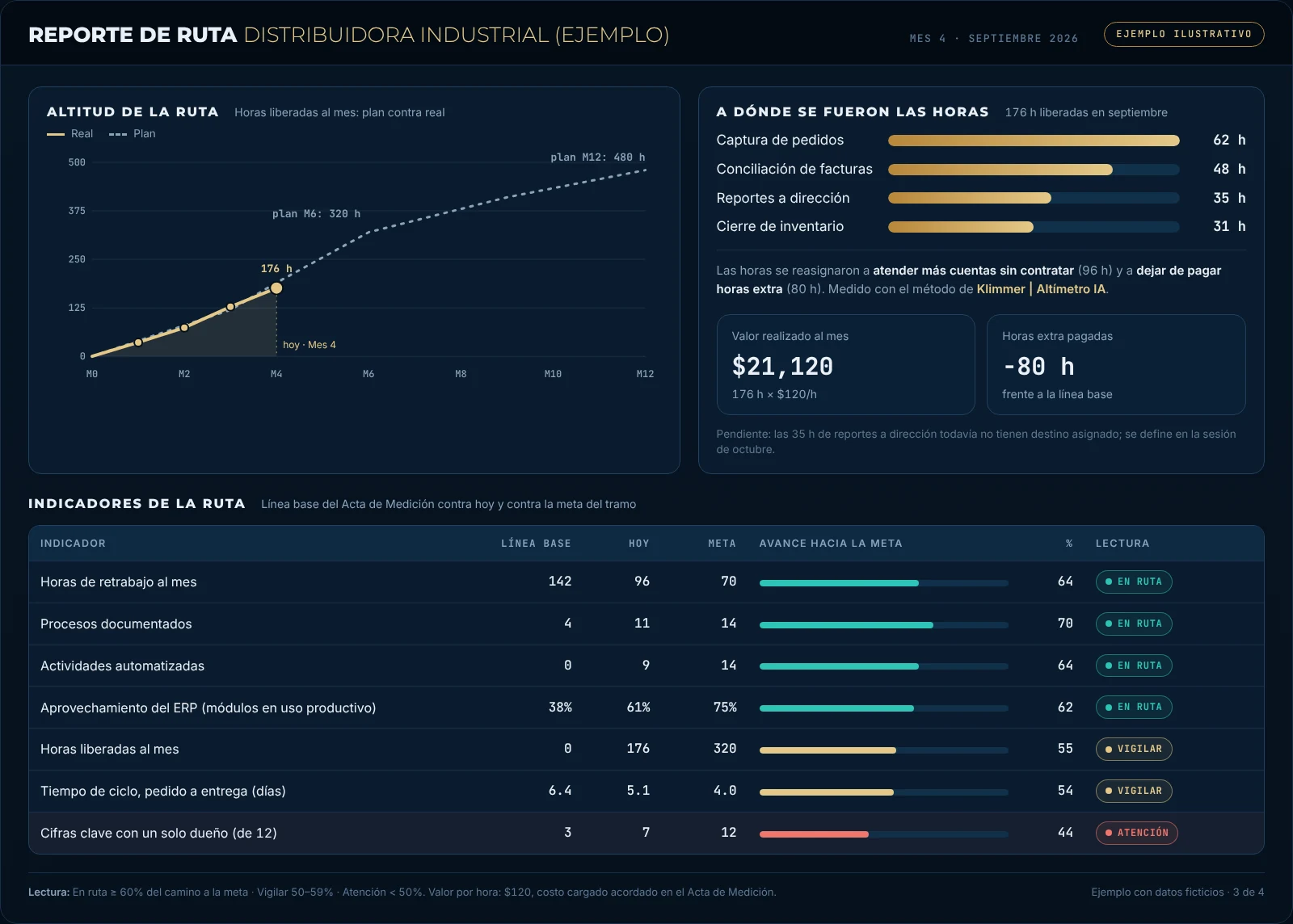
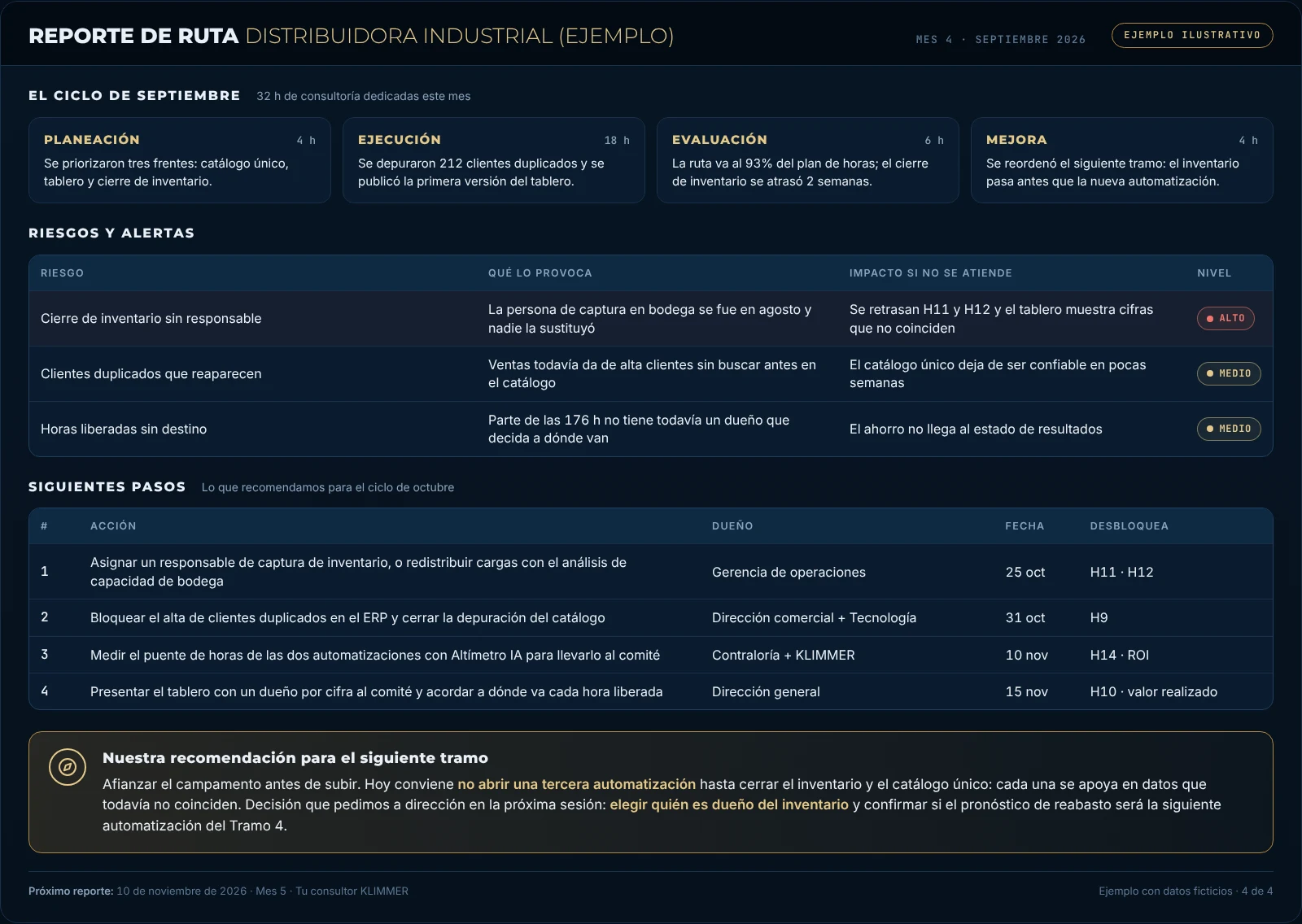
Figures from an illustrative case. Your report is built from your diagnostic's roadmap and the indicators we agree on with you.
Every month we repeat the same four-step cycle. What changes is the stretch you're on and what we learned in the previous one.
We review the roadmap with your leadership and pick the month's priorities, with owner and date.
We implement process adjustments and AI automations. For the ERP we define what to configure, why and with what guidelines; the vendor's certified partner carries it out.
We review what progressed against milestones and indicators, and spot risks and opportunities.
With what we learned we move dates, priorities and scope, so the route stays clear.
It's updated every month with what we learn, instead of being filed away in a PDF.
Before improving, we measure where you are today and sign it off in the Measurement Charter. Without a starting point, you can't show how far you've climbed.
Every milestone and every indicator has a responsible person on your side, with a name and a date.
Each stretch of the Ascent Route closes with a milestone and a figure that show you really are moving forward.
On track, Watch or Attention. What's going wrong is said in the monthly report, not at the results meeting.
Freed hours are measured with Klimmer | AI Altimeter and each one has a destination and an owner.
It's adjusted every month with what we learned, instead of becoming a PDF nobody opens again.
We see them in the monthly evaluation, before they turn into delays or spending.
If a new finding or an urgent change comes up, it moves to the front without you having to start from scratch.
Milestones, indicators and hours freed in a format your leadership or your board understands in a few minutes.
You talk to the same person who did your diagnostic, with no intermediaries.
We take no commission from any vendor or integrator: the only thing you pay is our fee.
To have completed a diagnostic with KLIMMER: that's where the roadmap, the baseline and the milestones come from. If you don't have one yet, start with the Klimmer | Compass, which is free and takes 5 minutes.
Both. In the monthly cycle we implement process adjustments and AI automations with your team, and advise you on what comes next. We don't configure or implement the ERP: many vendors make their product warranty conditional on a certified partner doing it. For compliance, we give you what to do, why and with what guidelines, and we support the partner so it gets done right.
Consulting hours are defined based on the size of your operation and your diagnostic's findings, and are set in writing from the start.
It's quoted based on the hours and scope that come out of your diagnostic. We discuss it in the first conversation, at no cost.
It's stated in the report: the traffic light moves to Watch or Attention, we look for the cause (an absent owner, missing data, a priority that changed) and adjust the next stretch.
No. It's an illustrative case with fictional figures, so you can see the format. None of its screens come from a client's information. Yours is built from your roadmap and your indicators.
We sign a confidentiality agreement (NDA) with every client, and everything you share with us is confidential. We never publish a screenshot of a client's information, not even as an illustrative example: that's why the examples you see on this site are fictional cases.
In addition, at the start we ask you to sign an authorization document where you decide whether your logo can appear for marketing purposes or you prefer your company to remain confidential, and whether we may only use your industry and generalized data, without your name, to illustrate our work. Unless you authorize otherwise, your company is confidential: it's our default, to protect our clients.
This form is optional: it helps us avoid starting the conversation from scratch. Tell us a bit about your company and what you're looking for, and we'll come to the first conversation with context.
Process, technology and operational AI consulting. Monterrey, N.L., Mexico. KLIMMER is a brand of Distribuidora Beyond&Magnus, S.A. de C.V.